
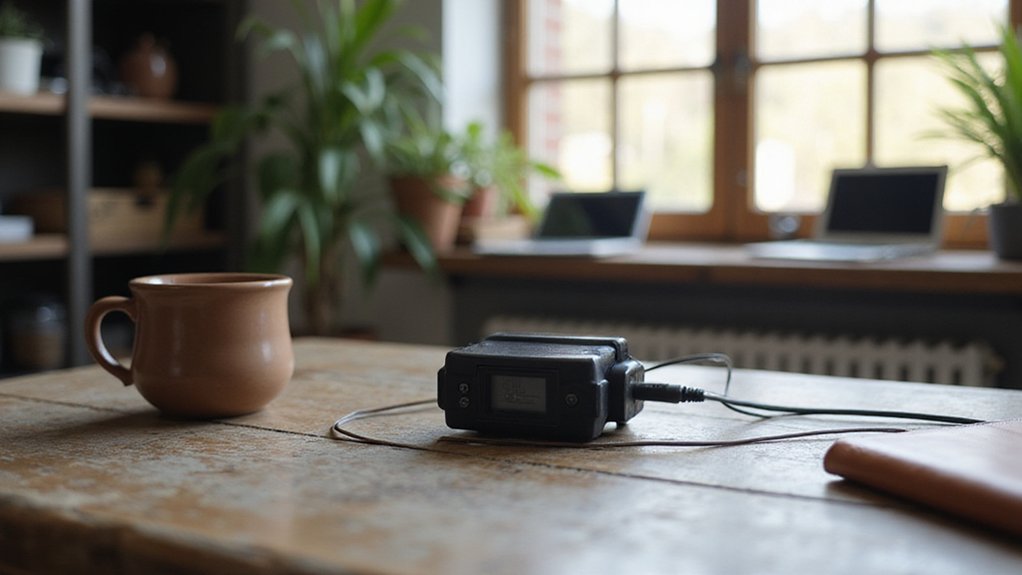

If you need to monitor physical conditions like temperature or humidity automatically, you might wonder what tools can do this precisely and safely. A data logger is an electronic device designed to record such measurements at set intervals, storing the data for later review.
By the end of this read, you’ll understand how data loggers work and how to choose the right one for your needs.
How Data Loggers Actually Work: Sensors, Memory, and Timestamps
A data logger works by capturing and storing data from sensors that detect physical parameters like temperature or vibrations. The process begins with the sensor converting the physical signal into an electrical one that can be measured. You then set the sampling interval, which determines how often the logger records a measurement—more frequent sampling provides higher resolution but also increases data volume.
Sensor calibration is crucial because an uncalibrated sensor can introduce systematic errors, skewing your data. Once the raw signal is received, the logger converts it into an engineering value, typically using an internal analog-to-digital converter (ADC) if the input is analog. It then assigns a timestamp to each measurement, matching it precisely to the internal real-time clock.
The real-time clock maintains the time reference, but its accuracy can drift over time, measured in parts per million, which can affect long-term data reliability. Finally, the logger stores the timestamped data in non-volatile memory, meaning records remain intact even if power is lost. When selecting components, pay attention to battery terminals that ensure stable power for the logger’s sensors and memory. For connectivity, choosing panels equipped with MC4 connectors ensures a reliable and standardized electrical connection for outdoor sensor setups. This ensures you can access and analyze your data whenever needed. For dependable long-term field operation, consider using a power bank with a wall outlet to keep the logger charged without frequent battery changes.
Why Use a Data Logger Over Manual Data Collection?
Manual data collection is prone to transcription errors, missed readings, and inconsistent attention. A data logger automates the entire capture process, eliminating these mistakes. It provides continuous, around-the-clock monitoring, capturing transient anomalies that manual spot checks might overlook. Sensor calibration ensures each measurement stays accurate and traceable. Integrated data security protocols protect your records from tampering or accidental corruption. Just as with choosing the best solar panels, selecting a data logger with the appropriate sensor range and accuracy is essential for reliable performance.
Automated logging also frees your personnel from repetitive note-taking, allowing them to focus on analysis and corrective actions. Instant alerts can trigger when conditions surpass predefined set points, supporting faster, proactive responses that help prevent equipment damage or product loss. Overall, using a data logger produces a standardized, repeatable dataset that improves compliance documentation and enables more reliable trend analysis—all while reducing the need for repeated site visits.

NO MORE SUBSCRIPTIONS! Temp Stick is the Best Pick for Remote WiFi Temperature and Humidity Monitoring from Anywhere, Anytime. Temp Stick gives you peace of mind and avoids years of cellular subscription costs. Stay up-to-date with fantastic new features thanks to free over-the-air software updates. Works on 2.4 Ghz WiFi only, does not support 5Ghz wifi. (Not for use with public or guest wifi networks at rv parks, campgrounds, coffee shops, hotels etc)

High Accuracy Sensor- Temperature Accuracy of ±0.3℃ or ±0.5℉. Wide temperature measuring range -121℉~302℉(-85°C ~+150°C).

ACCURATE FREEZER TEMPERATURE MONITORING – Monitor frozen vaccines, pharmaceuticals, and other temperature-sensitive materials with ±0.5°C / ±1°F accuracy and a NIST-traceable external probe designed for dependable cold-storage documentation.
5 Common Types of Data Loggers and What They Measure
Data loggers are specialized devices designed to measure specific physical parameters accurately. Temperature data loggers are among the most common; they monitor air, liquid, or surface temperatures using sensors like thermocouples, RTDs, or internal sensors. These devices capture temperature highs, lows, and fluctuations over time, making them vital in environments where precise temperature control is critical. Proper installation of monitoring equipment often requires careful attention to connection and torque tips to ensure reliable sensor performance. For applications requiring backup power, selecting a transfer switch ensures continuous data logging during outages.
Humidity data loggers measure relative humidity, often alongside temperature, to track moisture levels in sensitive environments such as storage facilities or laboratories. Proper humidity control prevents issues like mold growth or moisture damage.
Pressure data loggers record gas or liquid pressure, supporting measurements in applications like fluid flow analysis or water level monitoring. These loggers help identify pressure changes that could indicate leaks or system failures.
Voltage and current data loggers track electrical parameters typically within ranges of 0–5V or 4–20mA. They are essential for monitoring equipment performance, diagnosing faults, and ensuring electrical safety.
Vibration, shock, and strain data loggers detect acceleration, impacts, or structural loading, utilizing accelerometers or strain gauges. These are vital for monitoring structural health in engineering or assessing machinery for potential failures.
To ensure accurate data collection across all logger types, maintaining proper sensor calibration is crucial. Neglecting calibration can lead to misleading results, regardless of the type of data logger in use. For those constructing their own measurement tools, reviewing safety limits is essential to prevent hazards during use.

Applicable to multiple scenarios - Applicable to life science, food cold chain and industrial fields, Complies with FDA 21 CFR Part 11 standard.

【Real-time Data Viewing on APP】 At a high frequency, sample temperature per 1 Sec and display it on a real-time graph. APP ""Elitech Tools"" automatically generates CSV/PDF report. UPGRADED ELITECH TOOLS APP (ioS and Android): allows users to manage all Elitech tools as vacuum pump, digital manifold, vacuum gauge, pressure gauge, refrigerant charging scale on one app, more efficient and more intelligent.
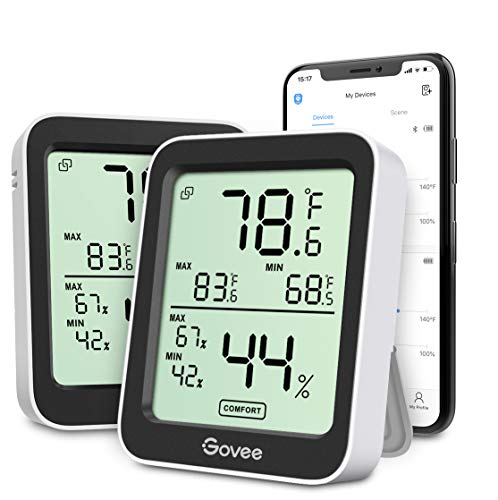
Easy to Use: Simply download the Govee Home app, search for and select H5075, and pair the room thermometer hygrometer successfully within minutes. With a 164ft/50m Bluetooth range, you'll be notified of any temperature humidity changes immediately.
Where Data Loggers Are Used: From Food Safety to Factory Floors
Data loggers are used extensively across various sectors to monitor temperature and environmental conditions, especially when handling temperature-sensitive products. In food manufacturing, you place them in processing areas, cold storage rooms, and refrigerated delivery vehicles to record temperatures, ensuring compliance with HACCP standards and preventing spoilage. Hospitals and pharmacies depend on data loggers for vaccine refrigerators, blood banks, and operating rooms to guarantee precise climate control and track environmental conditions for biologics and other sensitive materials. On production floors, they help identify deviations in temperature and humidity early, safeguarding product quality before issues arise. Transport companies track conditions continuously in reefer trucks, ships, and containers to produce audit-ready records for each shipment. Even data centers and HVAC systems benefit from data loggers, helping maintain stable environments and avoid costly equipment failures. For systems like these, selecting high-quality battery terminals ensures uninterrupted performance and reliable data recording.
Common Data Logger Setup Mistakes (And How to Avoid Them)
Even a well-planned data logger deployment can fail if you overlook fundamental setup details. Start with sensor wiring: reversing polarity can cause permanent damage, while loose connections may lead to intermittent false faults. Ensure cables exit downward to minimize moisture ingress, and use a low-impedance local earth point for grounding to enhance signal stability. For electrical safety, always follow the safest fix order when working near high-voltage components. For example, using heat shrink tubing on exposed connections helps protect them from moisture and short circuits. Similarly, securing cables with tight cable ties prevents strain on sensor connections and reduces the risk of intermittent faults.
Next, verify calibration on all channels before leaving the site. Replacing sensors with incompatible ones or mixing sensors between devices can cause self-calibration failures, resulting in inaccurate data. Do not begin logging until the device indicates a successful ready state. Skipping post-setup verification risks collecting unusable data for the entire run. Check recording immediately through the device indicator rather than waiting for the first scheduled review. Conducting a short validation period immediately after setup allows early detection of dead or misconfigured units, preventing wasted time on faulty equipment.
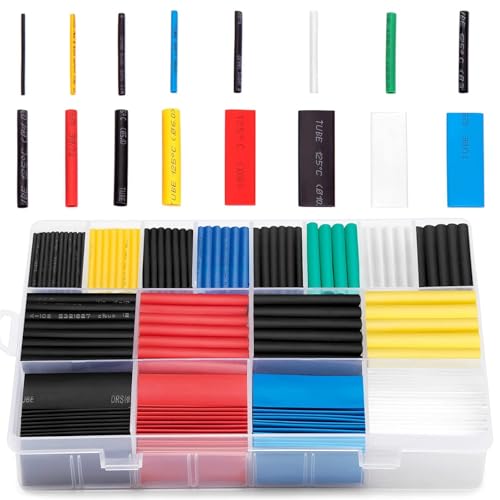
BIG COLLECTION – Totally 580pcs,11 specifications: 1/24"(80pcs),1/16"(80pcs),1/12"(100pcs),3/64"(30pcs),1/8"(60pcs),9/64"(30pcs),5/32"(70pcs),1/5"(30pcs),15/64"(20pcs),5/16"(20pcs),25/64"(60pcs).

Effective and Long Lasting Protection: innhom heat tube shrink has the advantages of good tightness, acid and alkali resistance, durable and anti-aging. Shrink wrap wire tensile strength: 14 Mpa. Dielectric strength: >20kV/mm. Elongation at break: >400%. Volume resistivity: >1.0× 10^14Ω.cm. Cold-resistant bending -22℉(-30 °C) × 1h without cracking. Use innhom heat shrink tubes instead of ugly and short-lived electric tape.

[Better protection]: double wall heat shrink tube and lined with glue can better act on the wrapped objects.
Sampling Rate, Memory, and Battery Life: What to Compare Before Buying
When choosing a data logger, compare sampling rates, storage capacity, and battery life to ensure the device meets your monitoring needs. Start with sampling rates: higher rates, like one minute, capture quick transients but consume more power, while longer intervals, such as 15 or 60 minutes, save battery but might miss rapid changes. For example, a 1-minute sampling interval stores 60 values per hour, whereas a 15-minute interval stores only four. A busbar’s conductive material similarly determines its efficiency under different electrical loads.
Next, examine storage capacity. A device with 10,000 samples can operate for about 6.9 days at a 1-minute interval. But if you use multiple channels or longer intervals, the runtime drops significantly. To confirm how long your device will last, divide the total sample slots by the number of samples taken per interval.
Finally, evaluate the battery life published for your preferred logging interval, not just idealistic maximums. For instance, a Vaisala logger might last 2.7 months at a 1-minute interval but extends to 13.6 years at an hourly rate. Keep in mind that faster sampling speeds decrease both the memory duration and the overall battery life. Similar tradeoffs apply to choosing between a battery charger or maintainer depending on your usage cycle.

High Accuracy: Fresh Tag 1D temperature data logger supports wide temperature range of -22℉ to 158℉(-30℃~+70℃). Highly accuracy temperature sensor up to ±0.9℉(±0.5℃). Enjoy up to Max. 30000 readings. Each logger comes with a build-in calibration certificate to make sure the data is true and irreversible.
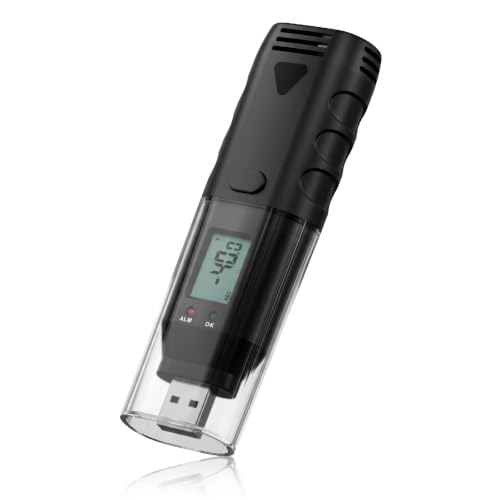
RST—Battery Power-On Reset: After installing the battery, the screen will display “rst”. Simply reconfigure the device via the "Pochain" Software for normal operation (This is a normal behavior, not a malfunction)

RST—Battery Power-On Reset: After installing the battery, the screen will display “rst”. Simply reconfigure the device via the "Pochain" Software for normal operation (This is a normal behavior, not a malfunction)
Match Your Sensor Type, Environment, and Budget to the Right Logger
Matching your sensor type, environment, and budget to the right logger involves understanding your measurement needs and deployment conditions. First, define your variable: for ambient conditions, built-in sensors may suffice, but external probes provide more precise measurements by eliminating air-buffer errors, which is crucial for accurate free-space readings. Universal-input loggers accept thermocouples, RTDs, or voltage signals, making them versatile for mixed sensor setups; ensure your sensor’s compatibility to maintain accuracy. Applying metal cable ties can help secure sensors or probes in harsh environments to prevent shifting and maintain consistent contact. For reliable power backup during long-term remote deployments, consider pairing your logger with a solar generator to ensure uninterrupted data collection. For mobile applications like RVs, selecting a logger with a deep cycle battery ensures reliable power for extended off-grid monitoring.
Next, consider your deployment environment. Outdoor or extreme heat conditions require a logger with appropriate environmental durability—look for IP ratings indicating ingress protection, and choose materials like stainless steel if temperatures are high or if you are in zones with stringent safety standards like ATEX. Waterproof enclosures are essential if your sensors need to be submerged; match the enclosure’s depth rating to your measurement needs to prevent water ingress.
Finally, evaluate your budget. Logger costs increase with higher sensor quality and enhanced ruggedization features. Low-power models are a cost-effective choice for simple or long-term deployments, but specialty enclosures or advanced data logging features will raise overall expenses. Always plan for the full deployment environment to select a solution that offers the best balance of performance and cost-effectiveness.

Multi-use temperature data logger, 32,000 recording points, with wide measuring range -30℃~70℃ / -22℉~158℉. Up to 6 months battery life, replaceable battery, low power consumption.

[Accurate Temperature and Humidity Recording]:Our M502 temperature and humidity data logger has a wide measurement range of -22℉~158℉ (-30°C~+70°C) and 0%RH~100%RH with an accuracy of ±0.5℉/0.3°C and ±5%RH. Up to 14,400 temperature and humidity points can be recorded and comes with a calibration certificate to ensure accurate and reliable data recording

✅【4 Channels Thermometer Data logger】4 channels thermometer main unit can record 5000 groups temperature, and unlimited data storage when connect to software in PC
What Data Logger Software and Data Retrieval Require
Once you’ve selected a logger compatible with your sensors, environment, and budget, focus shifts to software and data retrieval methods that make your measurements usable. Your software must support protocol compatibility such as Modbus, DNP3, or REST/JSON to communicate with different devices. It should also be configured to match baud rates for reliable, error-free data exchange. Data retrieval generally moves from USB setup to IP-based methods like FTP or MQTT, which allow scheduled or automated collection.
Prioritize encrypted transport protocols such as HTTPS or MQTT over TLS to protect sensitive data during transfer. Implement credential-based access controls and device authentication to secure both wired and wireless communication paths. Vendor-provided software often offers remote management capabilities that handle multiple loggers simultaneously and include automatic backup routing, ensuring continuous data access even if primary links fail. Planning for manual downloads as well as broker-based publishing will help maintain operational reliability across different scenarios.